Invisibility
Invisible to screen capture
Genuinely hidden — not just transparent.
Hide Neoly from screen sharing, screen recording, and screenshots on Zoom, Teams, Meet, OBS, and more.
A quiet AI copilot that helps you answer confidently—without breaking focus.
New to Neoly? Read our launch story →
Explore our key features or learn about No-Focus Mode →
Genuinely hidden — not just transparent.
Hide Neoly from screen sharing, screen recording, and screenshots on Zoom, Teams, Meet, OBS, and more.
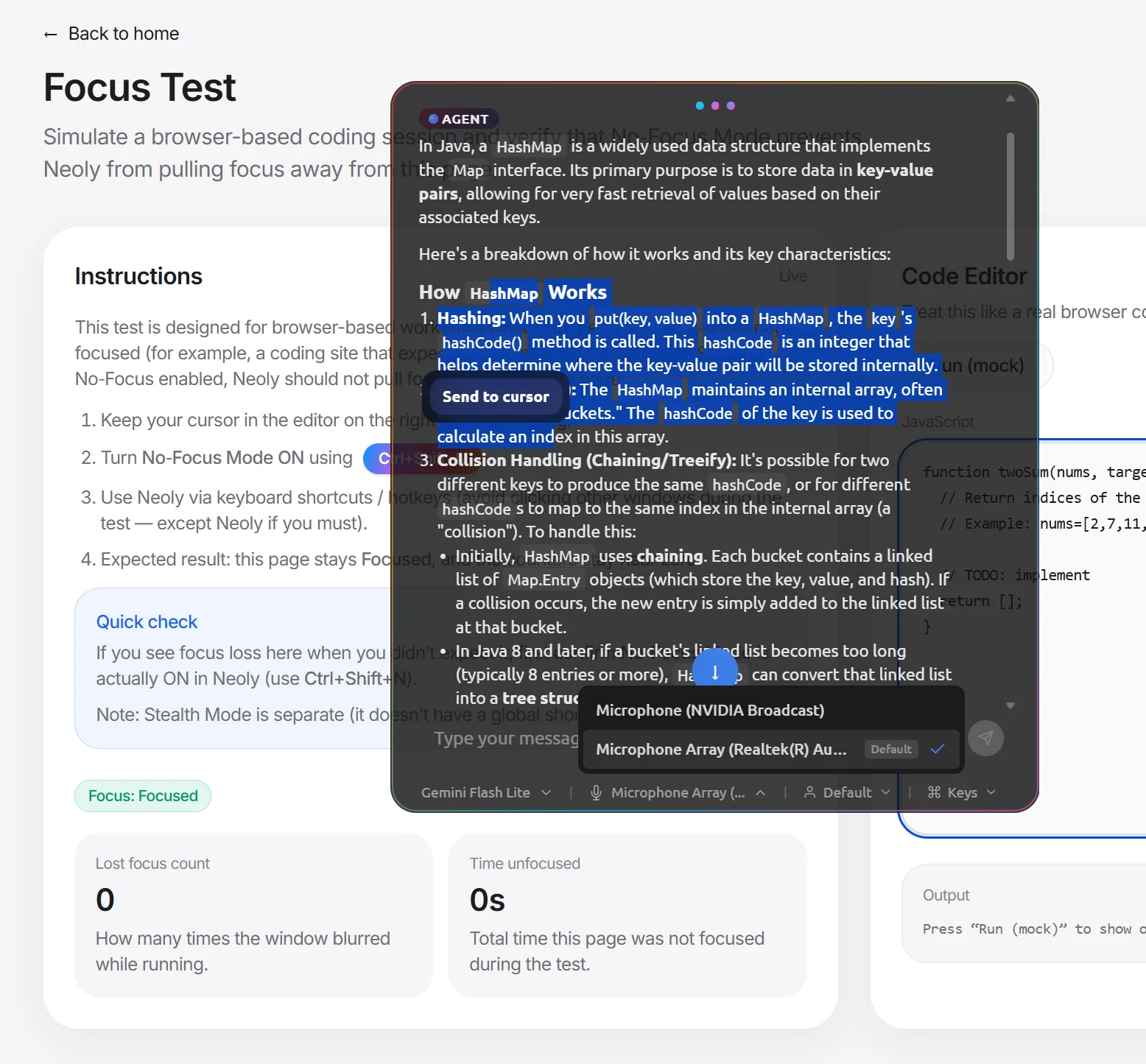
Ship answers into any editor or textbox in one click.
With No-Focus Mode enabled, send highlighted text or entire code blocks directly to your active cursor—no manual copy/paste, no context switching.
Click and scroll while staying in your IDE.
Keep keyboard focus on your coding window / IDE — no visible Alt+Tab switching. Toggle with Ctrl+Shift+N.
Perfect for problems, errors, and diagrams.
Press Ctrl+Shift+S to capture your screen and attach it to chat instantly — great for prompts, errors, and stack traces.
Exact text in, better answers out.
Select code or an error message and press Ctrl+Shift+E to send it straight to Neoly for analysis.
Switch mid-chat and keep context.
Use Gemini Flash Lite for speed, Gemini 2.5 Flash for multimodal, GPT-5.1 for tough reasoning, or Claude Sonnet 4.5 for depth.

Global shortcuts that work anywhere.
Trigger key actions without hunting UI: Ctrl+Shift+N (No-Focus), Ctrl+Shift+S (Screenshot), Ctrl+Shift+E (Text).

Built to keep you calm, clear, and confident — wherever you work.

Ask questions in the moment and get clear, actionable responses without breaking your flow.
Turn messy conversations into clean, shareable notes so you can stay present and engaged.

When the room puts you on the spot, get quick context and phrasing that keeps you confident.
No tab switching. No rabbit holes. Capture what matters and keep your momentum moving forward.
Neoly runs as an on-screen overlay — no meeting bot, no extra participant.
Neoly sits between you and AI models. We don't want your questions, conversations, or personal data — only what's required to run the service.
Most tools show you answers — Neoly sends them straight to your editor. One click and the response lands exactly where it needs to be. No copying, no pasting, no switching windows.
No meeting bots joining your call. No browser extensions. No "Neoly is recording" banner. Just you and your silent advantage — invisible to everyone in the room.
A letter from our CEO
I could not answer a simple question, even though I knew it.
The silence and awkward faces stayed with me. Not because I lacked knowledge, but because I could not access it in the moment that mattered.
That is when I realized performance is not just about what you know. It is about accessing the right context at the right time.
So we built Neoly AI as a second brain for live moments. With Send to Editor, you can move useful answers into your workflow instantly, stay present, and never freeze again.
If you have ever been in that moment, you are exactly who we are building for.
Mahesh
Founder and CEO, Neoly
Real-time help, smarter notes, and faster capture — without breaking focus.
Bring it up instantly without leaving what you’re doing — stay in flow during calls, interviews, or live Q&A.
Send selected text or a quick screenshot so the assistant sees what you see — no copy/paste chaos.
Receive concise talking points, follow-ups, and a confident version you can say out loud.
Turn the moment into clean notes and next steps so you can share, follow up, and move on.
Quick answers before you jump in.